
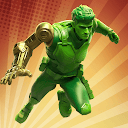
TOY WARS
Advertisement
Advertisement
About this app


Editor Reviews
Plastic army men go to war in TOY WARS, a strategy game from Volcano Force built on the green toy soldiers many people grew up with. Players lead their own green army against a force of evil toys, defending a home base and launching attacks of their own.
The game mixes tower defence with army building. On the defensive side, players place and upgrade defensive structures to hold off waves of invading toys, with several challenge modes and boss fights to test those setups. On the offensive side, they recruit officers, train soldiers and work out combat tactics, then take on other players. The army includes green soldiers, remote-control planes and robots, and weapons such as rifles and machine guns can be upgraded along with armour. The overall goal is to protect the flag and base while finding the most efficient strategy.
The game averages 4.1 from nearly 700,000 ratings, with 59% five stars, a large 18% four stars and 10% one star. It has 10,000,000+ installs. There are no ads, but in-app purchases stretch from $0.49 up to $324.99 per item, a very high ceiling. It was updated on 2026-09-10, needs Android 6.0 or newer and is rated Teen. We list 34 versions; the newest, 3.293.0, is a hefty 763.3 MB.
Strategy players with a soft spot for toy soldiers will find a familiar theme with plenty of defence and upgrade systems. Those cautious about spending, or short on storage, should weigh the high purchase prices and download size.
Features
- Strategy gameA Strategy game published by Volcano Force.
- 10,000,000+ installsGoogle Play reports 10,000,000+ installs, a reliable sign of an active user base.
- 763.3 MB downloadThe current XAPK weighs 763.3 MB, so plan for that much free space plus room for updates.
- Optional in-app purchasesFree to install; in-app purchases ($0.49 - $324.99 per item) are optional.
- Android 6.0+Runs on Android 6.0 or newer.
Pros
- Nostalgic themeGreen toy soldiers, RC planes and robots form the army.
- Defence and offenceTower defence and army building combine with boss fights and challenge modes.
- No adsThe record lists no advertising.
Cons
- Very high pricesIn-app purchases go up to $324.99 per item.
- Large downloadVersion 3.293.0 needs 763.3 MB.
Rating distribution
Previous APK Versions All 32 ›
XAPK · 763.3 MB2026-08-26 TOY WARS 3.292.2
XAPK · 762.2 MB2026-08-21 TOY WARS 3.292.1
XAPK · 827.1 MB2026-08-13 TOY WARS 3.292.0
XAPK · 762.2 MB2026-08-12 TOY WARS 3.290.0
XAPK · 802.0 MB2026-07-28 TOY WARS 3.289.1
XAPK · 801.7 MB2026-07-16 TOY WARS 3.289.0
XAPK · 801.7 MB2026-07-08 TOY WARS 3.287.3
XAPK · 735.4 MB2026-07-02 TOY WARS 3.287.2
XAPK · 735.4 MB2026-07-01 TOY WARS 3.287.1
XAPK · 796.6 MB2026-06-22
Frequently asked questions
01 Is TOY WARS free?
Yes. TOY WARS is listed as free on Google Play and offers in-app purchases ($0.49 - $324.99 per item).
02 Which Android version does TOY WARS need?
The current release requires Android 6.0. If your device is older, one of the 32 earlier versions listed above may still install.
03 How do I install the APK?
Download the file from the version page, open it on your Android device and allow installs from this source when prompted. XAPK bundles need the APKPure app or a split-APK installer (see the install guide in the footer). Always prefer the latest version unless you specifically need an older build.
04 Is the download safe?
Files come from our download library or external sources and are not modified by us. Check the package name (com.hts.ams) and developer before installing.
05 How do I get my account back?
Accounts belong to the developer's own service, not to this site. Use the sign-in recovery option inside TOY WARS, or contact Volcano Force through the support address listed on Google Play.
06 How do I cancel a subscription?
Subscriptions bought through Google Play are managed in the Play Store under Payments and subscriptions; purchases made inside the app follow the developer's own billing.
07 Can I get a refund?
Appmello never charges for downloads, so there is nothing to refund here. Refunds for in-app purchases are handled by Google Play or by the developer. Never enter payment details on any page claiming to be a download step.
08 How do I use TOY WARS?
Open the app after installing; it works exactly like the Play Store build. For feature questions see the developer's help pages, as Appmello only distributes the installer.
Related Apps
 Clash of ClansGame Strategy4.2 ★
 Last War:Survival GameGame Strategy4.6 ★
 Papa's Freezeria To Go!Game Strategy4.5 ★
 Dark War SurvivalGame Strategy4.4 ★
 Clash RoyaleGame Strategy4.6 ★
 League of Legends: Wild RiftGame Strategy3.3 ★
 Bloons TD BattlesGame Strategy4.3 ★
 Evony: The King's ReturnGame Strategy4.0 ★