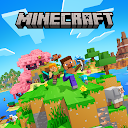
Minecraft: Dream it, Build it!
Advertisement
Advertisement
About this app


Editor Reviews
Blocks, tools and an endless map are the ingredients of Minecraft: Dream it, Build it!, the mobile edition of Mojang's sandbox. The world is generated at random and made entirely of cubes, and players shape it however they like, from a modest hut to a whole city.
Two modes set the pace. Creative mode hands over unlimited resources so the focus stays on building. Survival mode asks players to gather materials, craft tools, get through the night and fight off hostile creatures. Across both, the description mentions farming, mining deep underground, exploring different biomes and meeting mobs that can be befriended or battled. Play works solo or with friends, and because this is the Bedrock Edition, sessions can be shared across platforms.
This is a paid game: it costs $6.99 on Google Play, and the download button on this page leads to Google Play rather than to a free file. Optional in-app purchases add further items at $0.99 to $49.99 each, with no ads. Reception is solid, a 4.3 average from more than 5.8 million ratings, 73% five stars against 11% one star, and it has 50,000,000+ installs. The most recent update is dated 2026-09-15, the game needs Android 8.0 or newer and is rated Everyone 10+.
Anyone who enjoys building at their own pace, or wants a shared world with friends on other devices, gets one of the deepest sandboxes on mobile. Players looking for a free, pick-up-and-play game should know the upfront price and the extra store items. With cross-platform sessions and a huge player base, it remains an easy pick for families and friend groups who want to build together.
Features
- Arcade gameA Arcade game published by Mojang.
- 50,000,000+ installsGoogle Play reports 50,000,000+ installs, a reliable sign of an active user base.
- Optional in-app purchasesFree to install; in-app purchases ($0.99 - $49.99 per item) are optional.
- Android 8.0+Runs on Android 8.0 or newer.
- Rated Everyone 10+Content rating Everyone 10+ on Google Play.
Pros
- Two distinct modesCreative removes limits for building, while Survival adds crafting, danger and night-time threats.
- Cross-platform playThe Bedrock Edition lets friends join across different platforms.
- No advertisingThe record lists no ads in the game.
Cons
- Upfront priceIt costs $6.99 on Google Play before any extras.
- Extra purchases tooIn-app items cost between $0.99 and $49.99 on top of the price.
Rating distribution
Frequently asked questions
01 Why does the button open Google Play?
This entry uses the Google Play listing for Minecraft: Dream it, Build it!. Appmello does not provide an APK file on this page.
02 How do I install the app?
Open Google Play, check the developer and device compatibility, then use the store installation button. Sign in if prompted; availability may vary by region.
03 What should I check before installing?
Confirm the package com.mojang.minecraftpe and developer Mojang, review permissions, privacy information and recent ratings on Google Play. A store listing does not guarantee every feature or answer.
04 How much does Minecraft: Dream it, Build it! cost?
Check the current Google Play listing for Minecraft: Dream it, Build it!; pricing, purchases and subscriptions may vary by country and account.
05 What if Google Play cannot open or install it?
Check your connection, Google Play account, device compatibility, storage and regional availability. If the listing is unavailable, contact the developer through the store.
06 How do I get my account back?
Accounts belong to the developer's own service, not to this site. Use the sign-in recovery option inside Minecraft: Dream it, Build it!, or contact Mojang through the support address listed on Google Play.
07 How do I cancel a subscription?
Subscriptions bought through Google Play are managed in the Play Store under Payments and subscriptions; purchases made inside the app follow the developer's own billing.
08 Can I get a refund?
Appmello never charges for downloads, so there is nothing to refund here. Refunds for in-app purchases are handled by Google Play or by the developer. Never enter payment details on any page claiming to be a download step.