Pou
Advertisement
Advertisement
About this app


Editor Reviews
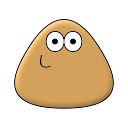
A small brown alien with big needs is the star of Pou, the virtual pet game from Zakeh. The concept is old-school: look after a creature every day, keep it fed, clean and entertained, and watch it grow as the weeks pass.
Daily care is the core loop. Players feed Pou, wash it and play with it, and as it levels up, new wallpapers, outfits and items unlock. A Game Room offers mini-games that pay out coins, which then go toward food and cosmetics. In the Lab, potions can be tried out for different effects. Customisation is a big draw: hats, eyeglasses and outfits change Pou's look, and each room can get a new wallpaper. There are achievements and special items to chase, friends' Pous can be visited and played with, and players can talk to Pou and hear it repeat what was said.
This is one of the most installed casual games on Android, with 1,000,000,000+ installs and about 11.3 million ratings averaging 4.2; 72% of ratings are five stars and 12% are one star. It is free with ads, and in-app purchases range from $0.99 to $24.99 per item. It was updated on 2026-06-06, needs Android 6.0 or newer and is rated Everyone. We list 40 versions, the newest being 1.4.135 at 85.5 MB, fairly light compared with many current games.
Children and anyone who enjoys a daily routine of caring for a digital pet will get plenty out of it. Players looking for challenge or a story will find the loop repetitive, and ads are part of the deal.
Features
- Casual gameA Casual game published by Zakeh.
- 1,000,000,000+ installsGoogle Play reports 1,000,000,000+ installs, a reliable sign of an active user base.
- 85.5 MB downloadThe current APK weighs 85.5 MB, so plan for that much free space plus room for updates.
- Optional in-app purchasesFree to install; in-app purchases ($0.99 - $24.99 per item) are optional.
- Android 7.0+Runs on Android 7.0 or newer.
Pros
- Classic pet care loopFeeding, cleaning and playing with Pou gives a simple daily routine.
- Plenty of customisationOutfits, hats, glasses and room wallpapers let players personalise Pou.
- Modest file sizeThe latest version is 85.5 MB, lighter than many current games.
Cons
- Ad supportedThe free game shows advertising.
- Repetitive by designThe loop centres on repeating the same care tasks and mini-games.
Rating distribution
Previous APK Versions All 40 ›
APK · 85.5 MB2026-06-06 Pou 1.4.134
APK · 85.2 MB2026-04-26 Pou 1.4.133
APK · 85.2 MB2026-04-06 Pou 1.4.132
APK · 28.2 MB2026-04-02 Pou 1.4.131
APK · 28.2 MB2026-03-30 Pou 1.4.130
APK · 28.2 MB2026-03-30 Pou 1.4.129
APK · 28.2 MB2026-03-29 Pou 1.4.127
APK · 28.0 MB2026-03-26 Pou 1.4.125
APK · 27.5 MB2025-10-08 Pou 1.4.124
APK · 26.3 MB2025-02-07
Frequently asked questions
01 Is Pou free?
Yes. Pou is listed as free on Google Play and offers in-app purchases ($0.99 - $24.99 per item); it also shows ads.
02 Which Android version does Pou need?
The current release requires Android 7.0. If your device is older, one of the 40 earlier versions listed above may still install.
03 How do I install the APK?
Download the file from the version page, open it on your Android device and allow installs from this source when prompted. XAPK bundles need the APKPure app or a split-APK installer (see the install guide in the footer). Always prefer the latest version unless you specifically need an older build.
04 Is the download safe?
Files come from our download library or external sources and are not modified by us. Check the package name (me.pou.app) and developer before installing.
05 How do I get my account back?
Accounts belong to the developer's own service, not to this site. Use the sign-in recovery option inside Pou, or contact Zakeh through the support address listed on Google Play.
06 How do I cancel a subscription?
Subscriptions bought through Google Play are managed in the Play Store under Payments and subscriptions; purchases made inside the app follow the developer's own billing.
07 Can I get a refund?
Appmello never charges for downloads, so there is nothing to refund here. Refunds for in-app purchases are handled by Google Play or by the developer. Never enter payment details on any page claiming to be a download step.
08 How do I use Pou?
Open the app after installing; it works exactly like the Play Store build. For feature questions see the developer's help pages, as Appmello only distributes the installer.