Mini Games: Calm & Relax
Advertisement
Advertisement
About this app


Editor Reviews
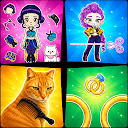
Although the store listing calls it Mini Games: Calm & Relax, the description from Unicorn Studio Official introduces the app as a Brainrot Challenge collection, and that is the better summary. It bundles dozens of short games based on social media filter trends and the Italian Brainrot meme characters.
The content falls into two camps. First are games inspired by viral filters, such as a scream-powered chicken challenge, animal sound tests and a Do Re Mi singing challenge, where you tap, swipe or use your voice. Second are meme-themed games built on Italian Brainrot, including fusing and merging characters and ranking memes. Everything is short and silly, with loud sounds and quick rounds, and the developer frames it as stress relief after school or work for players of any age. No single game dominates, so sessions hop quickly between them.
The numbers are remarkable: 100,000,000+ installs and a 4.8 average from about 703,000 ratings, with 91% five-star and only 4% one-star. It is free, shows ads and sells items from $0.99 to $19.99. The update from 2026-09-19 is recent, Android 7.1 or later is needed, and it is rated Everyone. We list 23 versions; version 1.0.136 is a large 517.4 MB.
Kids and teens who follow meme trends and like quick, noisy challenges are the obvious audience. Players who want a genuinely calm experience, as the title implies, may find the chaotic content a surprise, and the download size demands spare storage.
Features
- Casual gameA Casual game published by Unicorn Studio Official.
- 100,000,000+ installsGoogle Play reports 100,000,000+ installs, a reliable sign of an active user base.
- 639.9 MB downloadThe current XAPK weighs 639.9 MB, so plan for that much free space plus room for updates.
- Optional in-app purchasesFree to install; in-app purchases ($0.99 - $19.99 per item) are optional.
- Android 7.1+Runs on Android 7.1 or newer.
Pros
- Hugely popularIt has passed 100,000,000+ installs with a 4.8 average.
- Lots of varietyFilter challenges and meme games sit in one app.
- Recently updatedThe latest update landed on 2026-09-19.
Cons
- Large downloadVersion 1.0.136 is 517.4 MB.
- Title mismatchThe calm name hides a loud, chaotic set of meme games.
Rating distribution
Previous APK Versions All 20 ›
XAPK · 639.9 MB2026-09-24 Mini Games: Calm & Relax 1.0.136
XAPK · 517.4 MB2026-08-11 Mini Games: Calm & Relax 1.0.134
XAPK · 514.5 MB2026-07-30 Mini Games: Calm & Relax 1.0.133
XAPK · 514.5 MB2026-07-28 Mini Games: Calm & Relax 1.0.132
XAPK · 504.7 MB2026-07-15 Mini Games: Calm & Relax 1.0.131
XAPK · 482.7 MB2026-07-09 Mini Games: Calm & Relax 1.0.130
XAPK · 482.7 MB2026-07-03 Mini Games: Calm & Relax 1.0.129
XAPK · 482.6 MB2026-07-03 Mini Games: Calm & Relax 1.0.128
XAPK · 491.9 MB2026-06-26 Mini Games: Calm & Relax 1.0.127
XAPK · 479.2 MB2026-06-25
Frequently asked questions
01 Is Mini Games: Calm & Relax free?
Yes. Mini Games: Calm & Relax is listed as free on Google Play and offers in-app purchases ($0.99 - $19.99 per item); it also shows ads.
02 Which Android version does Mini Games: Calm & Relax need?
The current release requires Android 7.1. If your device is older, one of the 20 earlier versions listed above may still install.
03 How do I install the APK?
Download the file from the version page, open it on your Android device and allow installs from this source when prompted. XAPK bundles need the APKPure app or a split-APK installer (see the install guide in the footer). Always prefer the latest version unless you specifically need an older build.
04 Is the download safe?
Files come from our download library or external sources and are not modified by us. Check the package name (com.uc.minigame.relax) and developer before installing.
05 How do I get my account back?
Accounts belong to the developer's own service, not to this site. Use the sign-in recovery option inside Mini Games: Calm & Relax, or contact Unicorn Studio Official through the support address listed on Google Play.
06 How do I cancel a subscription?
Subscriptions bought through Google Play are managed in the Play Store under Payments and subscriptions; purchases made inside the app follow the developer's own billing.
07 Can I get a refund?
Appmello never charges for downloads, so there is nothing to refund here. Refunds for in-app purchases are handled by Google Play or by the developer. Never enter payment details on any page claiming to be a download step.
08 How do I use Mini Games: Calm & Relax?
Open the app after installing; it works exactly like the Play Store build. For feature questions see the developer's help pages, as Appmello only distributes the installer.